Survival stats & HUD
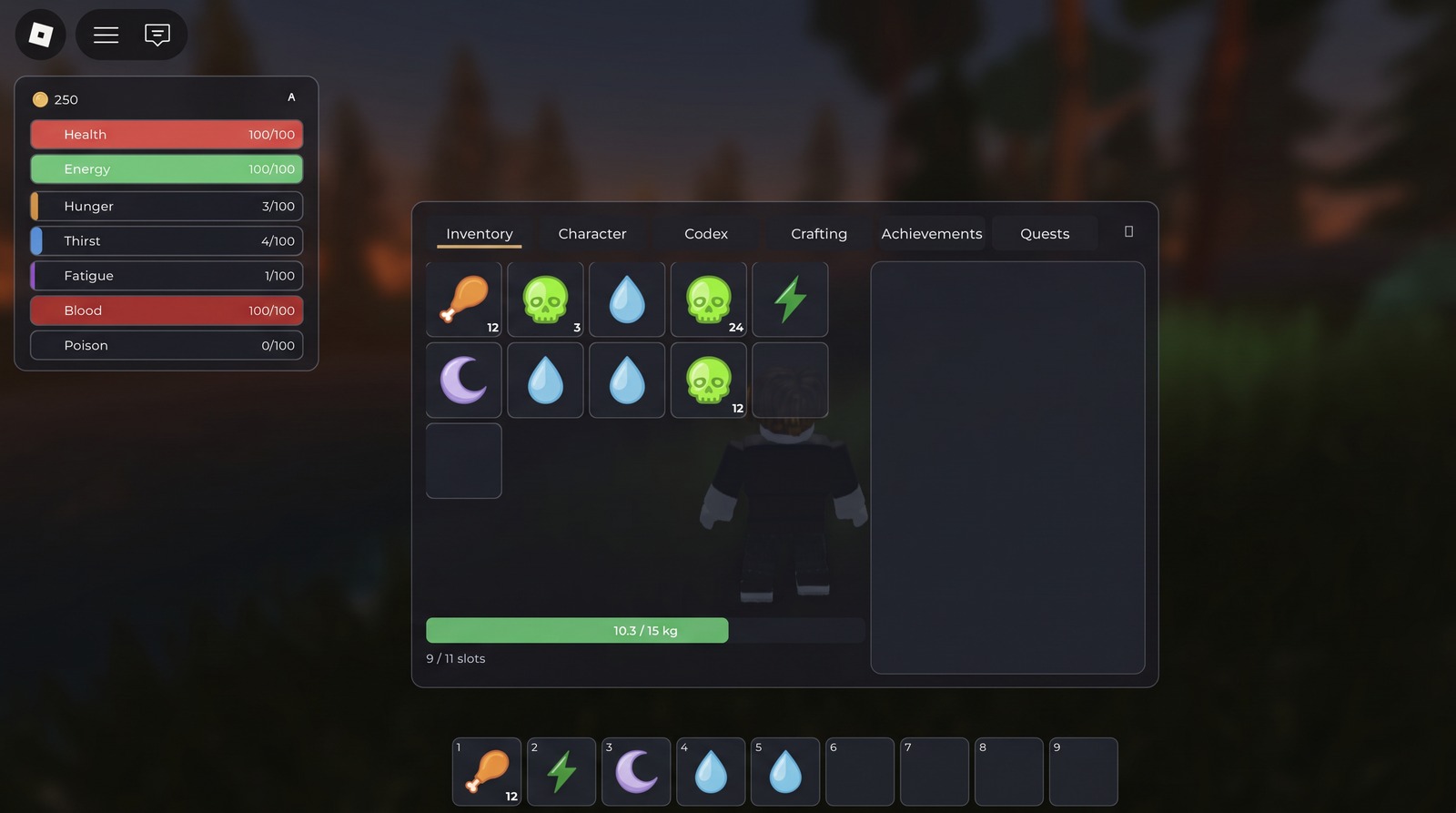
Health, energy, hunger, thirst, fatigue, blood, poison — ticking, draining, biting back. A clean, restyleable HUD drives only the data.
 SurvivorCore
 v0.10.0 · pre-release
A batteries-included, creator-extensible framework. Survival stats, inventory, gathering, crafting, combat, mobs & AI — wired together, restyleable, and authorable without code. If you know Roblox Studio, you can build a survival game.
Free & open source (MIT) · drop-in .rbxm or Wally
The core survival loop ships working — stats, inventory, gather, craft, fight — not a pile of parts to wire.
SurvivorCore Studio — a floating Studio window — tunes every engine setting and authors all content, with zero scripting.
UI is real, restyleable Instances driven by attributes. Override any default; nothing is locked.
Hits, harvests and crafts are validated on the server. Content-free by design — you bring the game.
Each system is configurable, hook-extensible, and authorable as tagged Instances or no-code.
Health, energy, hunger, thirst, fatigue, blood, poison — ticking, draining, biting back. A clean, restyleable HUD drives only the data.
Slots + carry-weight, a 9-slot hotbar, equipment, and hand crafting in a tabbed menu — server-authoritative, drag-and-drop.
Tag any mesh Gatherable: hold-E or tool-swing, per-hit yields, reaction hooks (a reed sways, a tree fells and leaves a stump).
Click to swing; or aim a bow, draw for power, and loose arrows that arc under real weight. Death drops a lootable bag — get back to it in time.
Hostile mobs chase & attack, passive animals flee — and can be hunted and butchered for meat. Behavior is data — faction picks the profile.
Event-driven goals: quest chains with objectives, rewards and quest-giver NPCs, plus milestone achievements with toasts — tracked automatically from what players already do.
Walk up to another survivor and an interact window opens — their name, their condition, and what you can do. Choose Trade and both of you stage items, see each other's offer live, and confirm. The swap is dupe-proof by construction: nothing leaves an inventory until both sides agree, and then it moves in one atomic step that can't create or destroy an item.
One floating window with a sidebar & search: tune every engine config section — movement, combat, mobs, loot, even UI theme colours & fonts — as locked deltas that survive engine updates. Create items, weapons, ammo, mobs, quests and achievements from forms, and override code-registered content field-by-field. No scripting.
Then Build turns your own geometry into game content: select any Part or Model, answer “what is this object?”, and fill a form — it becomes a gatherable node, a creature or a quest giver. The form is generated from the engine's own component schema, so every component gets a setup form for free, with no UI code behind it.
The whole UI suite runs out of the box — restyle it, or keep the clean defaults.
Drop it into ReplicatedStorage, register your content, and call start().
Grab the drop-in model from the latest release, or add it with Wally:
# wally.toml
[dependencies]
SurvivorCore = "temujincalidius/survivorcore@0.10.0"
…or drop SurvivorCore.rbxm into ReplicatedStorage.
local SurvivorCore = require(ReplicatedStorage.SurvivorCore)

-- register content (or author it no-code in the admin plugin)
SurvivorCore.Items.register({ id = "berry", name = "Wild Berries", stack = 20 })
SurvivorCore.Mobs.register({ id = "husk", faction = "hostile", health = 60 })

SurvivorCore.start()  -- boots stats, inventory, gathering, crafting, combat, mobs…
The HUD loader calls startClient() for you. That's it.